Table of Contents
- So what exactly is IPTV
- How IPTV actually delivers content to your screen
- The three main types of IPTV
- How is IPTV different from regular streaming apps
- What you need to start using IPTV
- Why so many people are making the switch
- Final thoughts
I remember the first time someone mentioned IPTV to me. I was at a buddy’s place here in Mesa watching the Cardinals game, and I noticed his setup looked different. No cable box. No satellite dish on the roof. Just his TV, an internet connection, and some app I had never seen before. He had every channel I could think of, plus a library of movies that would make any streaming service jealous. I asked him what he was using and he just said two words. “IPTV, bro.”
That sent me down a rabbit hole. And if you are reading this right now, you are probably in the same spot I was — curious, a little confused, and wondering if this is something that could actually work for you. Let me break it all down the way I wish someone had explained it to me back then.
So what exactly is IPTV
IPTV stands for internet protocol television. I know that sounds a little technical, but stick with me because the concept is actually dead simple.
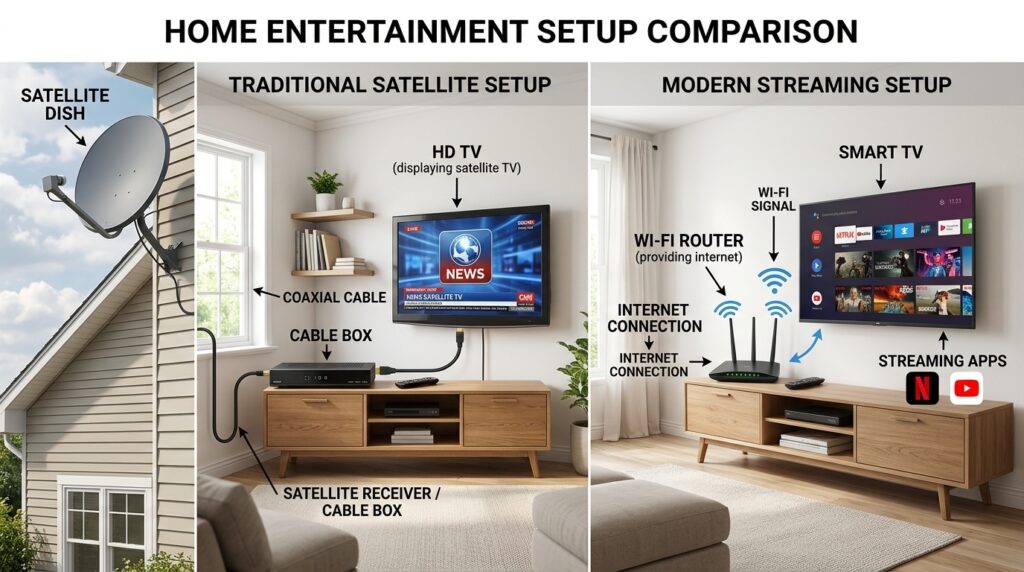
Traditional TV — the kind most of us grew up with — sends signals to your house through cable lines or a satellite dish bolted to your roof. IPTV skips all of that. Instead, it delivers television content over the internet, the same internet you use to browse websites and scroll through social media.
Think of it this way. Cable TV is like getting the newspaper delivered to your door every morning. You get whatever they printed, whether you wanted those sections or not. IPTV is more like reading news online. You choose what you want, when you want it, and you access it through your internet connection.
That is the core idea. Television delivered through the internet instead of through cables or satellites.
How IPTV actually delivers content to your screen
Here is where it gets a little more interesting. When you watch something through IPTV, the content is stored on a server — basically a powerful computer sitting in a data center somewhere. When you select a channel or a movie, that server sends the video data to your device in small packets through your internet connection.
Your device — whether it is a smart TV, a Firestick, a phone, or a laptop — receives those packets and assembles them into the video you see on your screen. This all happens in real time, so it feels just like watching regular TV. You click, and the content plays.
The key difference from something like downloading a movie is that IPTV streams the content. You do not need to wait for the whole file to download first. It plays as it arrives, which is why a solid internet connection matters. Most providers recommend at least 15 to 25 Mbps for a smooth experience, especially if you want HD or 4K quality.
The three main types of IPTV
Not all IPTV works the same way. There are actually three main formats, and most providers offer a combination of all three.
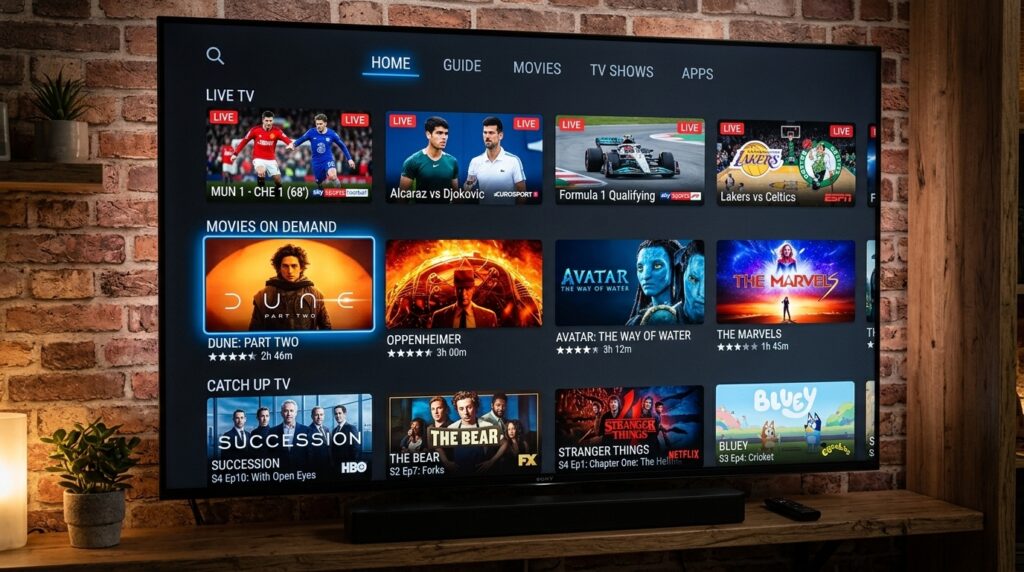
Live IPTV is exactly what it sounds like. You watch content as it broadcasts in real time. This is the big one for football fans like me. Live games, live news, live events — all streaming through your internet connection just like flipping to a channel on cable.
Video on demand, often called VOD, lets you pick from a library of pre-recorded content and watch it whenever you feel like it. This is the part that reminds people of Netflix or Hulu. Browse through movies or TV shows, hit play, and enjoy.
Time-shifted IPTV is kind of like a built-in DVR. It lets you go back and watch content that already aired. Missed a game because you got stuck at work? Time-shifted IPTV lets you rewind and catch it from the beginning. Some services offer a catch-up window of 24 to 72 hours depending on the provider.
Most solid IPTV services bundle all three of these together, which is part of what makes them so appealing compared to traditional setups.
How is IPTV different from regular streaming apps
This is a question I get asked a lot, and it is a fair one. On the surface, IPTV sounds a lot like Netflix or Disney Plus. You use the internet. You stream content. So what is the difference?
The biggest difference is scope. Apps like Netflix, Hulu, and Amazon Prime are individual services with their own limited libraries. Each one has its own content, and if you want access to everything, you end up subscribing to five or six different platforms. That adds up quick.
IPTV services typically give you access to a massive range of live TV channels and a VOD library all under one subscription. We are talking hundreds — sometimes thousands — of channels from all over the world, plus on-demand movies and shows. One service, one price, way more content.
Another difference is live TV. Most mainstream streaming apps do not offer live television unless you pay extra for add-ons like YouTube TV or Hulu with live TV. IPTV includes live channels as a core feature, which is a huge deal if you are into sports.
What you need to start using IPTV
Getting started with IPTV does not require a bunch of fancy equipment. Here is what you actually need.
A stable internet connection. This is the foundation. Without decent internet, nothing else matters. Like I mentioned, aim for at least 15 to 25 Mbps. If you have multiple people in your house streaming at the same time, you will want more.
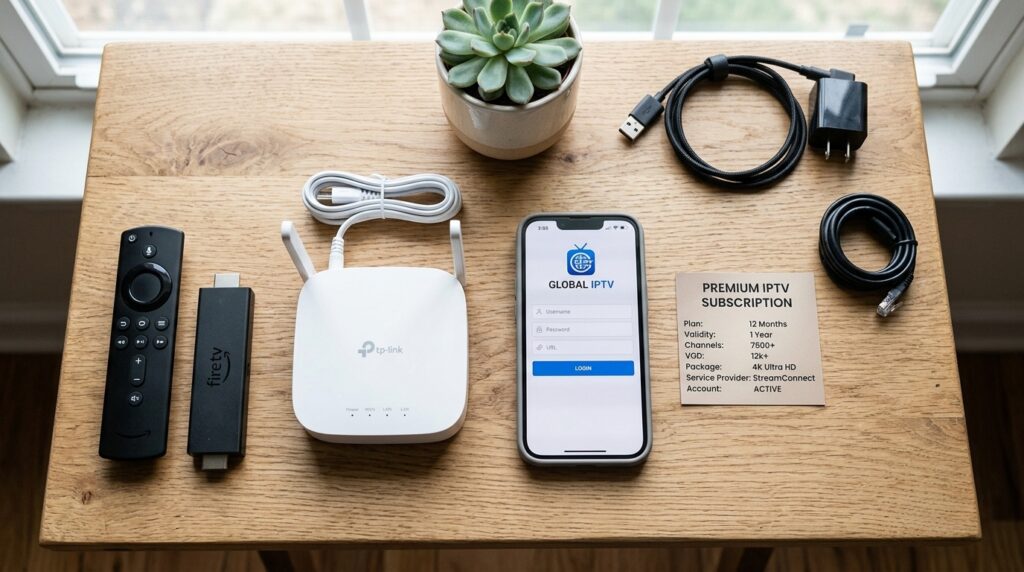
A compatible device. IPTV works on a wide range of devices. Amazon Firestick is one of the most popular options. Smart TVs from Samsung, LG, and others work great too. You can also use Android TV boxes, tablets, smartphones, or even a regular computer. Chances are you already own something that will work.
An IPTV subscription. You will need to sign up with a provider. This is where you want to be careful and do your homework, because not all providers are created equal. Some are reliable and legal, while others operate in a gray area that could cause headaches down the road.
An IPTV app or player. Most providers will tell you which app to use. Common ones include IPTV Smarters, TiviMate, and GSE Smart IPTV. These apps are what you install on your device to actually access and watch the content.
That is really it. No cable box. No satellite dish baking in the Arizona sun. No technician visit.
Why so many people are making the switch
I will not sit here and pretend I am some industry expert. I am just a regular guy in Arizona who got tired of paying nearly two hundred bucks a month for cable and a stack of streaming subscriptions. But from what I have seen and experienced over the past couple of years, there are a few clear reasons why IPTV keeps growing.
Cost. This is the obvious one. Most IPTV subscriptions run anywhere from ten to twenty-five dollars a month. Compare that to what you are paying for cable plus Netflix plus Hulu plus whatever else, and the math speaks for itself.
Flexibility. You can watch on almost any device, from almost anywhere. At home on the big screen, at a restaurant on your phone, or on a laptop during a road trip up to Sedona. Your content follows you.
Content variety. The sheer volume of channels and on-demand options is hard to beat. Sports, movies, international channels, news, entertainment — it is all there in one place.
No contracts. Most IPTV providers do not lock you into annual contracts the way cable companies do. You pay month to month, and if you are not happy, you move on. Simple as that.
IPTV is not some complicated futuristic technology. It is simply television delivered through your internet connection, giving you more content, more flexibility, and more control over what you watch and when you watch it. Once you understand the basics, the whole thing starts to make a lot of sense — especially when you look at what you are currently paying for cable.
If you are already leaning toward giving it a shot, I would suggest reading through our comparison of IPTV vs cable vs streaming apps to see how the costs and features actually stack up side by side. And for a broader look at everything from legality to setup and provider recommendations, the complete guide to IPTV service covers it all in one place.